

Print buying guide · Johannesburg & Gauteng
A3 Vs A4 Multifunction Printers: What Does Your Office Need?
Choosing between an A3 photocopier and an A4 printer starts with the documents your office produces. Paper size matters, but so do the number of users, print volume, scanning requirements and available space.

On This Page
RAC Technologies helps businesses across Johannesburg and Gauteng choose Toshiba printers and photocopiers around those practical requirements. Sometimes one shared floor-standing machine is the right answer; sometimes a compact A4 device is all a particular team needs.
What Is The Difference Between A3 And A4?
A4 paper measures 210 × 297 mm. A3 measures 297 × 420 mm, giving it twice the area of A4.
An A3-capable machine can generally handle A4 as well, subject to the model and paper settings. An A4-only printer cannot produce a full-size A3 sheet.
That distinction matters if your office regularly works with larger spreadsheets, diagrams, layouts or other documents that are easier to use at A3 size. If everything you produce is A4 or smaller, paper size alone is not a reason to choose a larger machine.
When An A3 Multifunction Photocopier Makes Sense
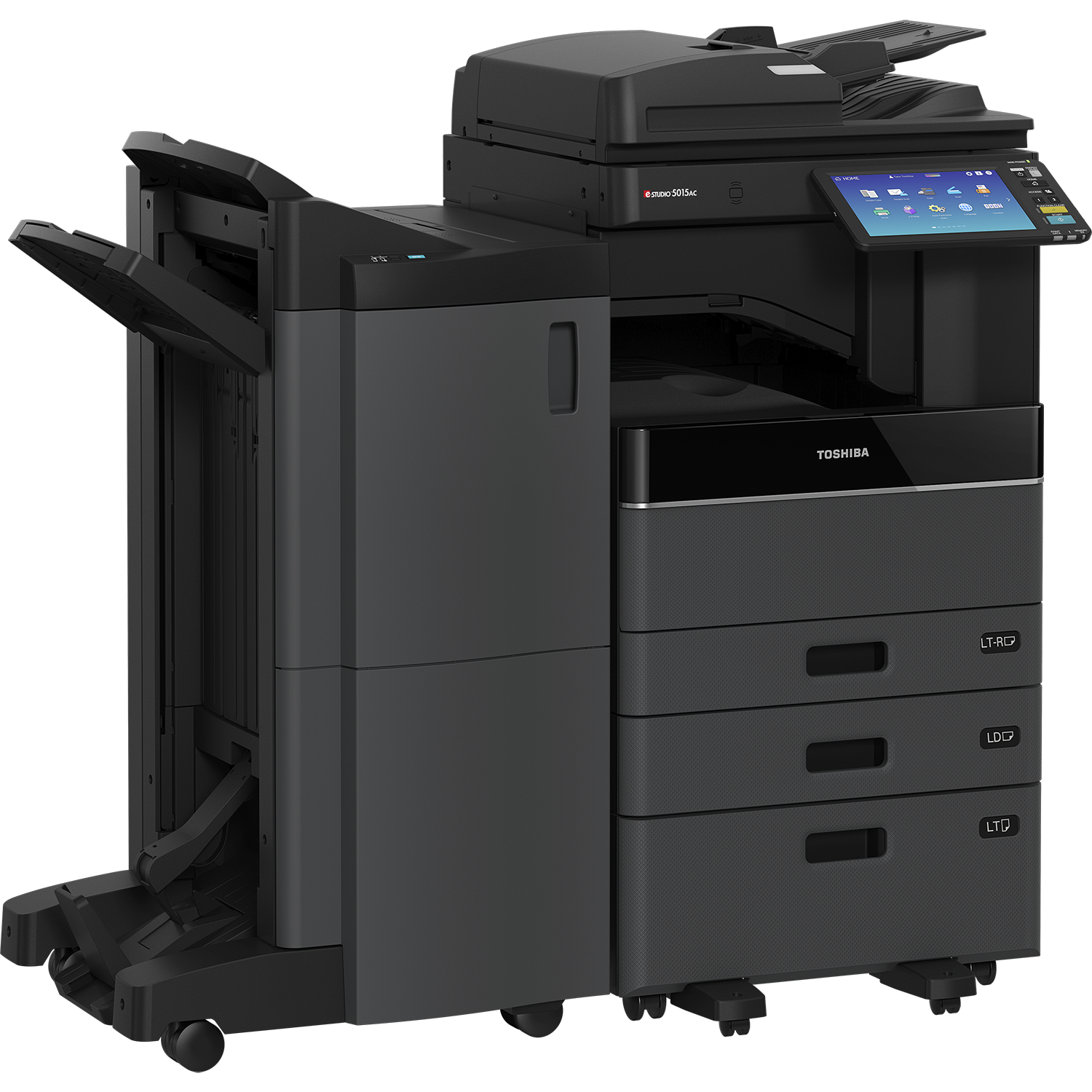
A floor-standing A3 multifunction photocopier may be suitable for an office that needs shared printing, copying and scanning, with capacity for its regular workload.
Consider it when your team needs A3 output, handles frequent document batches or requires particular paper-handling and finishing options. The available functions depend on the model and configuration, so confirm the features you actually need.
An A3 machine is not automatically the fastest or most economical option. Compare the specific equipment and its suitability for your printing volume.

Built around your office
Make room for the work you do.
Paper size, print volume and where the machine will sit help determine whether an A3 photocopier or A4 printer is the better fit.
When An A4 Printer May Be Enough
A compact A4 multifunction printer may suit a smaller office, reception area or department that needs convenient printing, copying and scanning without A3 output.
It can also form part of a larger setup. One team might use a shared A3 photocopier while another needs a separate A4 device close to its workspace.
The question is whether the machine can comfortably handle the work expected of it. A4 describes the paper size; it does not, on its own, tell you the machine’s capacity or suitability for a busy office.
Colour Or Black And White Is A Separate Decision
Paper size and colour capability are different choices. Start by asking which documents genuinely need colour and how often you produce them.
A business printing mainly text may want to compare monochrome equipment. A team regularly producing colour presentations, reports or customer-facing material will need to consider colour output and the associated printing charges.
You can explore our A3 colour photocopiers and A3 black-and-white photocopiers to see the main ranges.
A Simple Office Checklist
| Requirement | What to consider |
|---|---|
| Documents | Do you need A3 output, or is A4 sufficient? |
| Workload | Roughly how many pages are printed and copied each month? |
| Users | How many people share the device, and are there busy periods? |
| Scanning | How often do you scan multi-page documents, and where must the files go? |
| Space | Is there room for the machine, access to its drawers and maintenance access? |
| Costs | What are the equipment, service and expected printing charges? |
- Documents
- Do you need A3 output, or is A4 sufficient?
- Workload
- Roughly how many pages are printed and copied each month?
- Users
- How many people share the device, and are there busy periods?
- Scanning
- How often do you scan multi-page documents, and where must the files go?
- Space
- Is there room for the machine, access to its drawers and maintenance access?
- Costs
- What are the equipment, service and expected printing charges?
If you already use a printer or photocopier, tell us what works well and what frustrates your team. That often reveals more than a specification list alone.
Choosing One Machine Or A Mixed Setup
There is no need to force every department onto the same type of device. Equally, adding more small printers is not automatically better than having one suitable shared machine.
We can assess the number of users, document requirements and office layout before recommending a single machine or a combination. The aim is dependable print performance without paying for functions your business does not need.
Find The Right Fit For Your Office
We offer rental, finance and outright purchase options, with service plans for the machines we supply. Tell us about your workload, colour requirements and budget, and we’ll help you compare suitable Toshiba equipment.
Browse our A4 multifunction printer range or request a recommendation.
Free Print-Cost Audit
Could You Be Getting More From Your Print Budget?
Let’s review your current agreement and see where there may be room to improve. We’ll consider your existing costs, equipment and workload before recommending a change.
Review your current setup
We look at your equipment, rental and service charges, and the documents your team prints.
Identify where value can improve
We assess whether a different machine, configuration or agreement would better suit your office.
Compare a clear proposal
You receive the equipment recommendation, costs and agreed service cover before deciding.
Potential savings depend on your current costs, print requirements and proposed agreement.
